
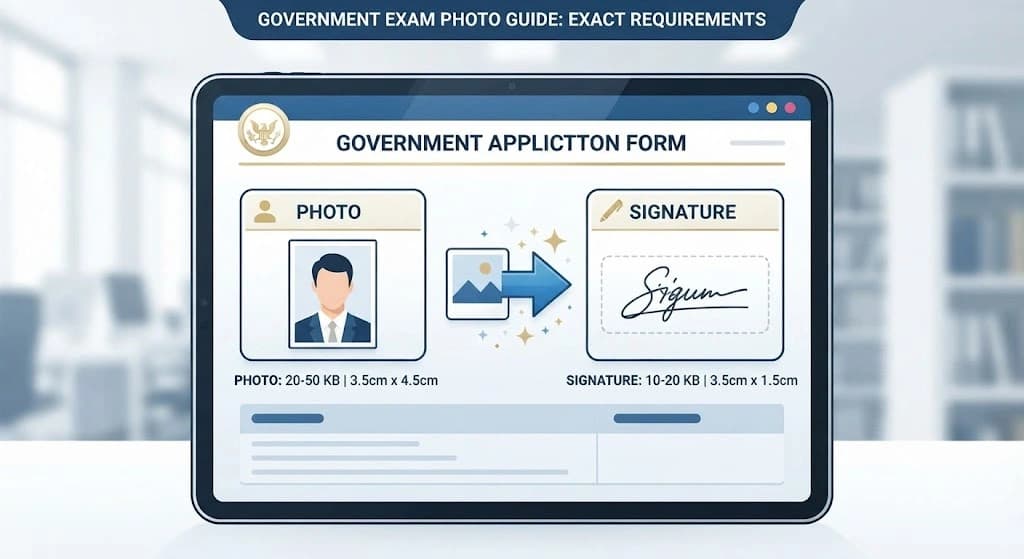
Applying for SSC, UPSC, banking, railway, or other government examinations? One of the most common problems during online applications is getting your photo or signature to meet the required file size, dimensions, and format.
Different examination authorities can have different requirements, and these requirements may change between notifications. This guide explains the most common photo and signature requirements, what KB, pixels, dimensions, and resolution mean, and how to prepare your image before uploading it.
Important
Always check the latest official examination notification before submitting your application. The requirements below are provided as a practical reference and should not replace the official instructions.
Why Do Government Forms Have Photo Size Requirements?
Online application portals usually specify requirements for:
- File size — usually given in KB or MB
- Image dimensions — width × height in pixels
- Image format — commonly JPG or JPEG
- Photo appearance — background, face position, clarity, and other requirements
- Signature dimensions and file size — where a scanned signature is required
These requirements help application systems process and display uploaded images consistently.
However, there is no single photo size that works for every government examination. SSC, UPSC, IBPS, Railway, and other authorities can use different specifications.
SSC Photo & Signature Requirements
SSC application requirements can vary by examination and notification.
For example, the SSC CGL 2026 notification requires candidates to capture a live photograph during the application process. It also specifies a scanned signature in JPEG/JPG format with a file size of 10–20 KB and dimensions of approximately 4.0 cm × 2.0 cm.
Other SSC examinations can have different instructions. For example, the SSC CHSL 2026 notice specifies a scanned signature of 10–20 KB with dimensions of approximately 6.0 cm × 2.0 cm.
What this means
Don't rely on an old SSC photo or signature size guide. Check the specific SSC examination notification you are applying for.
UPSC Photo & Signature Requirements
UPSC application requirements can also depend on the examination and application stage.
For example, UPSC currently publishes separate notifications for examinations such as Civil Services, CDS, NDA, CMS, and CAPF.
Because image requirements can change between examinations and application systems, candidates should always verify the latest UPSC notification and upload instructions before resizing a photo or signature.
If your application specifies a particular KB range, pixel dimension, or image format, prepare the image according to those exact instructions.
IBPS & Banking Exam Photo Requirements
Banking recruitment applications commonly specify requirements for both photographs and signatures.
A commonly used IBPS specification has included:
| Image | File Size | Preferred Dimensions |
|---|---|---|
| Photograph | 20–50 KB | 200 × 230 pixels |
| Signature | 10–20 KB | 140 × 60 pixels |
These values have appeared in IBPS application guidelines, but candidates should always check the notification for their particular recruitment process before uploading an image.
Current IBPS application portals also direct candidates to the specific notification and scanning/upload guidelines for the recruitment process.
Railway Exam Photo & Signature Requirements
Railway Recruitment Board applications can also have their own image and signature specifications.
For example, one recent RRB recruitment notification specified a scanned signature in JPG/JPEG format with a file size of 30–49 KB and minimum dimensions of 140 × 60 pixels.
This shows why you should not assume that one "Railway photo size" or "Railway signature size" applies to every RRB recruitment.
Always check the CEN notification for your particular recruitment.
Quick Reference: Common Photo & Signature Requirements
| Exam / Recruitment | What to Check |
|---|---|
| SSC | Photo/live photo instructions, signature KB and dimensions |
| UPSC | Photo and signature instructions in the current examination notification |
| IBPS | Photo/signature KB, pixels, format and scanning instructions |
| Railway / RRB | Photo/live-photo instructions and signature specifications |
| Other Government Exams | Follow the latest official notification |
Important
Requirements can change from one examination to another and from one year to the next.
KB, Pixels and Resolution: What's the Difference?
Understanding these three terms makes image preparation much easier.
File Size — KB or MB
File size tells you how much storage space the image file uses.
For example: 50 KB → 100 KB → 1 MB.
This does not automatically mean that the image has more pixels.
Dimensions — Pixels
Dimensions describe the actual width and height of the image.
For example, 200 × 230 pixels means the image is 200 pixels wide and 230 pixels high.
Resolution
Resolution generally describes image detail or pixel density, particularly when discussing printing. A higher DPI value does not necessarily mean that an image contains more actual image information.
For online application forms, file size and pixel dimensions are usually more important than simply increasing DPI.
Common Mistakes That Can Cause Image Rejection
1. Uploading the Wrong File Size
If a portal requires a maximum of 50 KB and your file is larger than that, it may be rejected.
Similarly, if the portal specifies a minimum file size, an image below that limit may not be accepted.
2. Using the Wrong Dimensions
A photo with the correct KB but incorrect pixel dimensions can still fail the upload requirements.
3. Stretching the Image
Do not force an image into an incorrect aspect ratio just to match the required dimensions. This can make the face or document appear stretched.
4. Uploading a Blurry Image
Increasing file size does not automatically restore lost image detail.
Start with the clearest original image available.
5. Following an Old Requirement
This is one of the biggest mistakes.
Government application requirements can change. Always verify the latest notification before submitting your form.
How to Prepare a Photo for a Government Application
You can follow this simple process:
- 1
Check the Official Requirement
Find the current application notification and note the required file format, file size, width and height, background requirements, and photo or signature instructions.
- 2
Prepare the Image
Use your original, clear photograph whenever possible. Avoid enlarging a very small or blurry image unnecessarily.
- 3
Adjust the File Size or Dimensions
If you need to increase the image file size, you can use our Increase Photo Size Online tool to adjust the file size in KB/MB or increase image dimensions.
- 4
Check the Final File
Before uploading, verify the file size, pixel dimensions, file format, image clarity, and background and appearance. Then upload the final image to the application portal.
Can I Use the Same Photo for Every Government Exam?
Not necessarily.
Different examination authorities—and sometimes different examinations from the same authority—can have different requirements.
For example, SSC's current application process can use live photo capture, while scanned signature requirements are specified separately.
Therefore, keep a good-quality original photograph and prepare a separate version according to each application's requirements.
What If My Photo Is Larger Than the Required KB?
If the application specifies a maximum file size, you generally need to compress or optimize the image rather than increase its size.
For example, if the maximum allowed size is 50 KB and your image is 80 KB, reducing the file size is the appropriate approach.
Don't simply change the filename or extension—the actual file size and format need to meet the portal's requirements.
What If My Photo Is Smaller Than the Required KB?
If the application requires a minimum file size, you may need to increase the image file size.
However, increasing KB does not necessarily mean increasing the image dimensions.
Use the method that matches the actual requirement.
Need to Increase Your Photo Size?
Use our Increase Photo Size Online tool to adjust your image when you need a larger file size or larger dimensions.
Final Checklist Before Uploading
Before submitting your government exam application, check:
- Correct file format
- Correct KB/MB size
- Correct pixel dimensions
- Correct aspect ratio
- Clear and readable image
- Correct background
- Correct signature format, if required
- Requirements verified from the latest official notification
Don't rely on an old image-size chart. The official notification for your specific examination should always be the final authority.